‏إظهار الرسائل ذات التسميات Google Play Store. إظهار كافة الرسائل

السبت، 9 نوفمبر 2013

GTA V: Spielanleitung kostenlos im Google Play Store erhältlich [Download]

Pünktlich zum Wochenende hab ich noch ein kleines Schmankerl für euch. Denn im Google Play Store gibt es jetzt kostenlos die Spielanleitung zum Rockstar Games-Kracher GTA V. Das Spiel an sich brauche ich sicherlich niemandem mehr vorstellen, es hat diverse Rekorde gebrochen und in nur drei Tagen Rockstar Games einen Umsatz von 1 Milliarde Dollar beschert. Noch ist GTA V aber PS3 und Xbox 360 exclusiv vorbehalten. Aber vielleicht gibt es ja demnächst auch eine Umsetzung für Android?

Pünktlich zum Wochenende hat Rockstar Games die Spielanleitung seines neuesten Werkes GTA V im Google Play Store angeboten. Die über 100 Seiten lange detaillierte Anleitung kann kostenlos heruntergeladen werden. Zwar ist GTA V so aufgebaut, dass man nach und nach in die Steuerung des Spiels "hineingearbeitet" wird, trotzdem ist sie so umfangreich, dass man mal den Überblick verlieren kann. Aber dafür gibt es ja das gute alte Handbuch, welches hier im Google Play Store nun verfügbar ist.

GTA V Handbuch im Google Play Store downloaden

GTA V, Google Play Store, Rockstar Games
Grand Theft Auto V (PS3) kaufen

Wer sich ans Werk machen will und das Rockstar Games GTA V Handbuch herunterladen möchte, der sei gewarnt. Der Download ist satte 181MB groß, hier empfiehlt sich also der Download im heimischen WLAN-Netz. Sie ist kostenlos und komplett in deutsch. Der riesige Download hat aber auch sein gutes, detailliert bis zum Umfallen bietet das GTA V Handbuch alles, was der Spieler wissen muss/sollte.


Das Highlight der GTA V Spielanleitung dürfte aber die frei zoombare Karte von Los Santos und Blaine County sein. Diese lässt sich sogar in drei verschiedenen Ansichten (Satellit, Landkarte, Stadtplan) darstellen. Eine feine Sache von Rockstar Games, das TA V Handbuch jetzt kistenlos für die Android User zur Verfügung zu stellen.


Quelle: Android Police

الأربعاء، 30 أكتوبر 2013

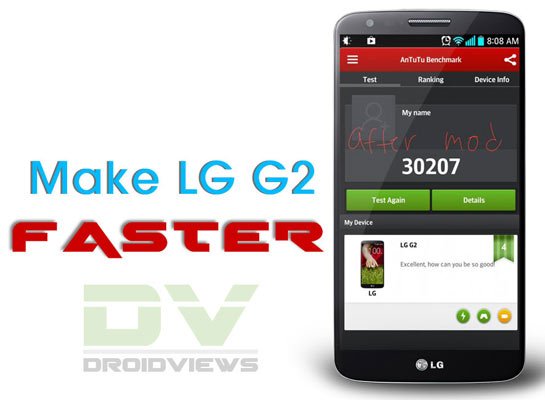
Make LG G2 Perform Faster by Fixing Lag Issue

Make Your LG G2 Perform Faster by Fixing Lag Issue

lg-g2-lag-fix
It has grown into some sort of fashion among  phone manufacturer these days to claim their flagship devices to the best and fastest performing gadgets on earth. The lavish specs of such devices sound good on paper and make users optimistic about lag-free and powerful performance. Unfortunately, most of the flagship smartphones from major Android OEMs fail in delivering that. I can say so at least on the basis of my personal experience with the devices I have owned in the past and the ones I have now.
It is really quite understandable why most devices fail to deliver and perform not as fast as touted by OEMs, especially  in view of their mighty processors and GBs of RAM! Our device manufacturers might be blind to the lag issue but our intelligent Android community is adventurous enough to dig into things deeper and come up with a solution to enrich our mobile experience. XDA member stefan063 has discovered a very good and effective remedy to fix lag issue on LG’s current flagship device, the G2.
While most methods to solve lag issue on Android device demand root permission, the drill in discussion can be performed on any LG G2 on stock firmware whether it has root access or not. So, if you have been facing lag issue in general and in the camera app, the method described below can prove useful to you.
  1. Open your phone’s dial pad and type the following code: 3845#*<model number>#. For example, type-
    • 3845#*800# (for At&T model)
    • 3845#*801#  (for T-Mobile variants)
    • 3845#*802# (for European variants)
    • 3845#*803# (for AT&T and Canadian variants)
  2. Doing this open the service menu of your phone. Scroll down to High temperature property settings and change the default value to ON.
  3. Now turn off your phone. Wait for about 15-20 seconds and then turn it on again.
  4. When your LG G2 boots up, you should experience smoother UI on it. Moreover, it will also solve the lag issue in the camera app. Enjoy!
In case any of the above codes do not work for you (it is reported not working on Verizon and AT&T variants), there is an alternative method to fix the lag. However, to do that you must have root access on your device. If you do not have a rooted phone, follow our easy rooting tutorial to do that.
  1. Download and install  Trickster MOD Kernel Settings  app from the Google Play Store.
  2. Launch the app and grant SuperUser permission when prompted.
  3. Slide the app page to the left till you see the Kernel Generals settings.Trickster-MOD-Kernel-Settings
  4. Under the CPU Governor Control head and change its value from “demand” to“interactive”.
  5. Now reboot your devices and get ready to enjoy faster performance and better battery life on your LG G2. If you are having overheating issue on your phone, it should also be fix along with lag.
Did it work for you? Do not forget to share with us. Cheers!
Read Also: 

الخميس، 17 أكتوبر 2013

Google Play Store 4.4 kommt mit seitlicher Navigation

Heute gibt es mal wieder neue Meldungen - nein nicht zu Android 4.4 und dessem Release - aber zum Google Play Store. Und diese Meldung hat indirekt dann doch mit der kommenden Android Version zu tun. Denn jetzt sind Bilder des Google Play Store in der Version 4.4 aufgetaucht. Und diese wird wahrscheinlich direkt mit dem Android 4.4 Release dann auch ausgerollt werden. Und es ändert sich einiges im Google Play Store.

Auch beim Google Play Store ab Version 4.4 kommt das bereits bekannte seitliche Menü "Navigation Drawer" dann zum Einsatz. Dieses dürfte eigentlich jedem bereits von GMail bekannt sein und wird nach und nach in alle Google Apps eingebaut. Mit einer einfachen Wischgeste öffnet sich dann das Menü im Google Play Store ohne vorher zusätzlich Platz zu beanspruchen. Noch gibt es keine Installationsdatei, daher müssen alle auf den Rollout der neuen Version warten, wahrscheinlich im Zusammenhang mit dem Android 4.4 Release.

"Navigation Drawer" nun auch im Google Play Store

Google, Google Play Store

So nach und nach vereinheitlicht Google das Design seiner Apps, Vorbild ist hier Google Now. Damit bekommt dann alles einen einheitlichen Look, der meiner Meinung nach auch mittlerweile wieder bitter nötig ist. Denn manche Apps setzen auf das neue Design, andere wiederum nicht. Manchmal ist das doch ein wenig verwirrend. Vielleicht erfährt unter Android 4.4 aber nicht nur der Google Play Store optische Anpassungen.


Wie Android Police berichtet, befindet sich der Google Play Store in der Version 4.4 noch in der Entwicklung. Es kann also sein, dass es bis zum Release dessen noch einige Änderungen am Design etc. geben kann. Aber spätestens Ende Oktober wissen wir mehr.

Quelle: AndroidPolice